
Desktop appCurrent v0.5.0
Pyenv Native
A native desktop and command-line way to install, switch, and manage Python versions.
- Desktop app
- Command line
- MCP server
Works on
- Windows
- macOS
- Linux
- Android (experimental)
Current packaged builds
- Linux
- macOS
- Windows
- Latest
- v0.5.0
- Released
- Oct 12, 2026
- Language
- Rust
- Current files
- 6 direct
Download · current stable release
Oct 12, 2026Download for your system
Choose your operating system, then select the package or architecture that matches it. Every download goes straight to the current release asset.
Windows
2 build optionsmacOS
2 build optionsLinux
2 build optionsChecksum or signature files are linked beside the matching GitHub asset.
Other entry points
Use the operating-system installer from the current release, open a new terminal, then run `pyenv doctor`. The README documents the shell and Termux differences.
Read the install instructionsWhat it does
Developers and coding agents managing multiple Python versions across Windows, Linux, macOS, and experimental Termux builds.
It handles runtime installs, shims, local and global selection, virtual environments, and an optional GUI without asking every project to reinvent shell setup.
- Install the native manager for the current operating system, then run `pyenv doctor`.
- Install a Python runtime, select it globally or per project, and create a named virtual environment.
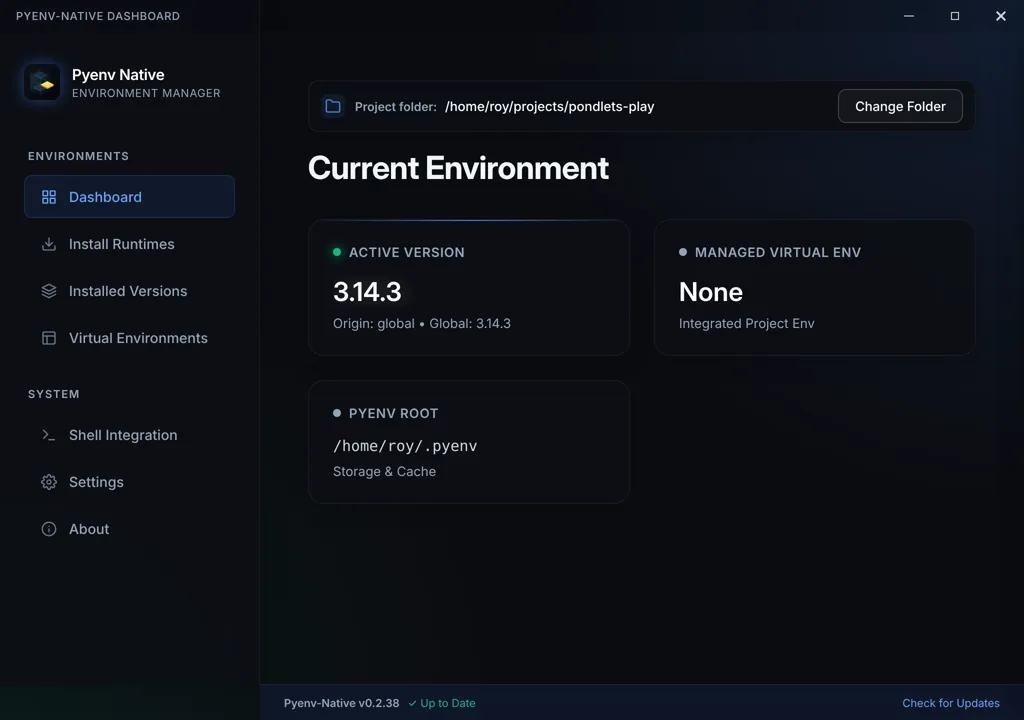
- Use the GUI when a visual runtime inventory is more useful than a terminal-only workflow.
- Use `pyenv-mcp` for agent-assisted environment resolution only after the target project is understood.