
Desktop app · Private local portfolio
Portfolio Sidekick
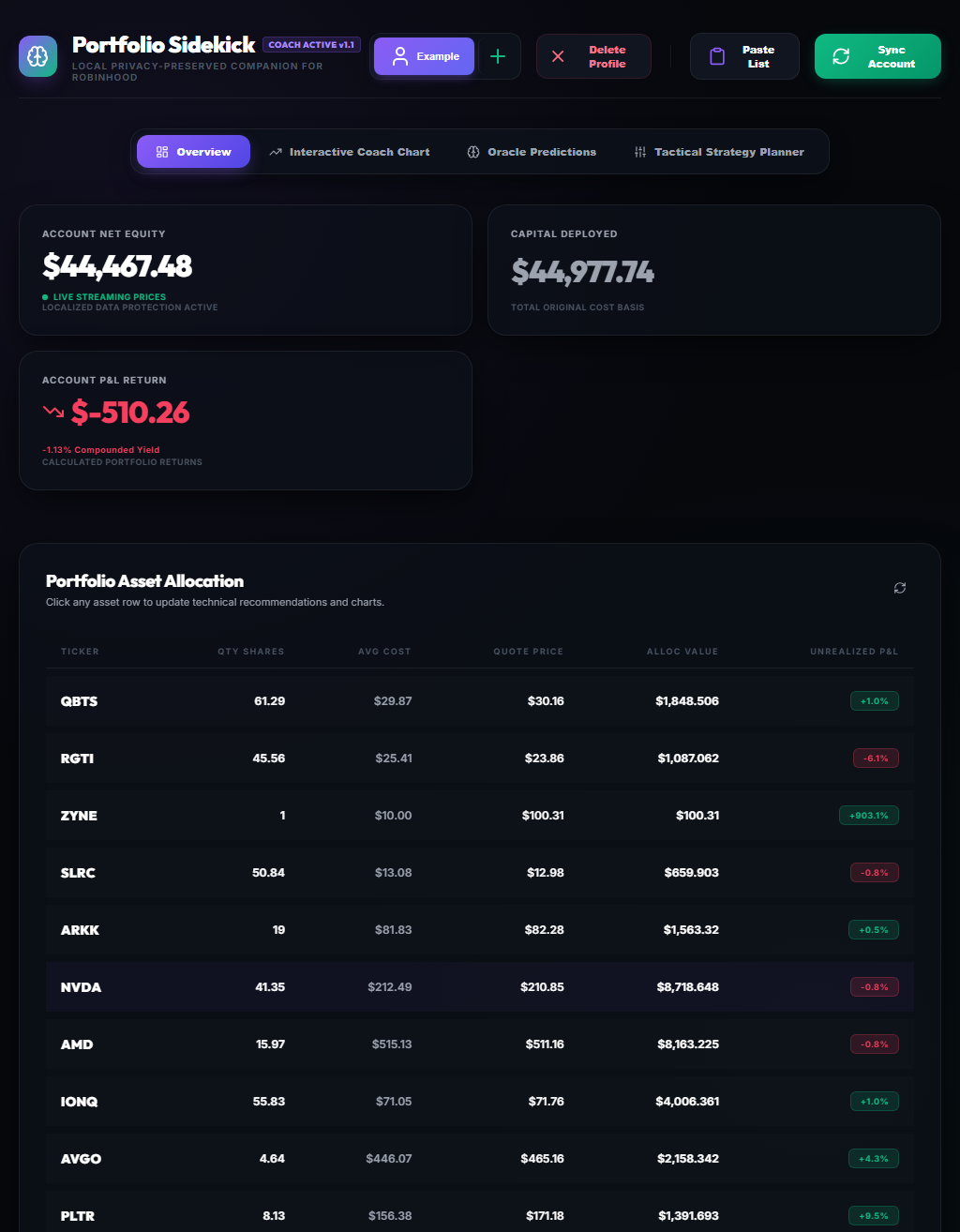
Plan and rebalance a Robinhood portfolio with RSI, MACD and Bollinger signals, and keep score on your own price predictions. It runs on your computer. Nothing goes to a cloud.
Packaged builds today: Android, Linux, macOS, Windows.
The point of it
What it does
People who invest through Robinhood and want to plan and review their own portfolio on their own computer.
Portfolio data stays in a local database on your computer. The app scores watchlist signals, previews rebalancing trades, and tracks your own price predictions so it can learn which indicators earn their weight. It is a personal tool, not investment advice.
- Sign in to Robinhood from the app, or paste in holdings and use sandbox mode with no connection.
- Scan a watchlist for entry signals such as Oversold Pullback and Bollinger Support Bounce.
- Preview a rebalance: the share trades and cash moves it would take, before you make any.
- Log a price prediction. The app scores it over time and adjusts its indicator weights.
Keep in mind: Desktop is the supported version; Android is experimental. Sign-in tokens are stored encrypted on your computer, but no local vault is a guarantee, so try it with a test account first.
Current stable release · Jun 15, 2026
Download for your system
Pick your operating system, then the package that matches your machine. Every button goes straight to the release file.
Windows
Current buildmacOS
Current buildLinux
Current buildAndroid
Current buildNo matching files are attached to this release. Open the GitHub release for its source and other files.
The details
- Ways to use it
- Desktop app
- Language
- JavaScript
- License
- See repository
- Repository
- PortfolioSidekick
- Latest check
- CI passing (opens in a new tab)
The latest public GitHub Actions run failed or did not finish. That is not the same as an abandoned project.