
Desktop app · USB over your network
PeriWire
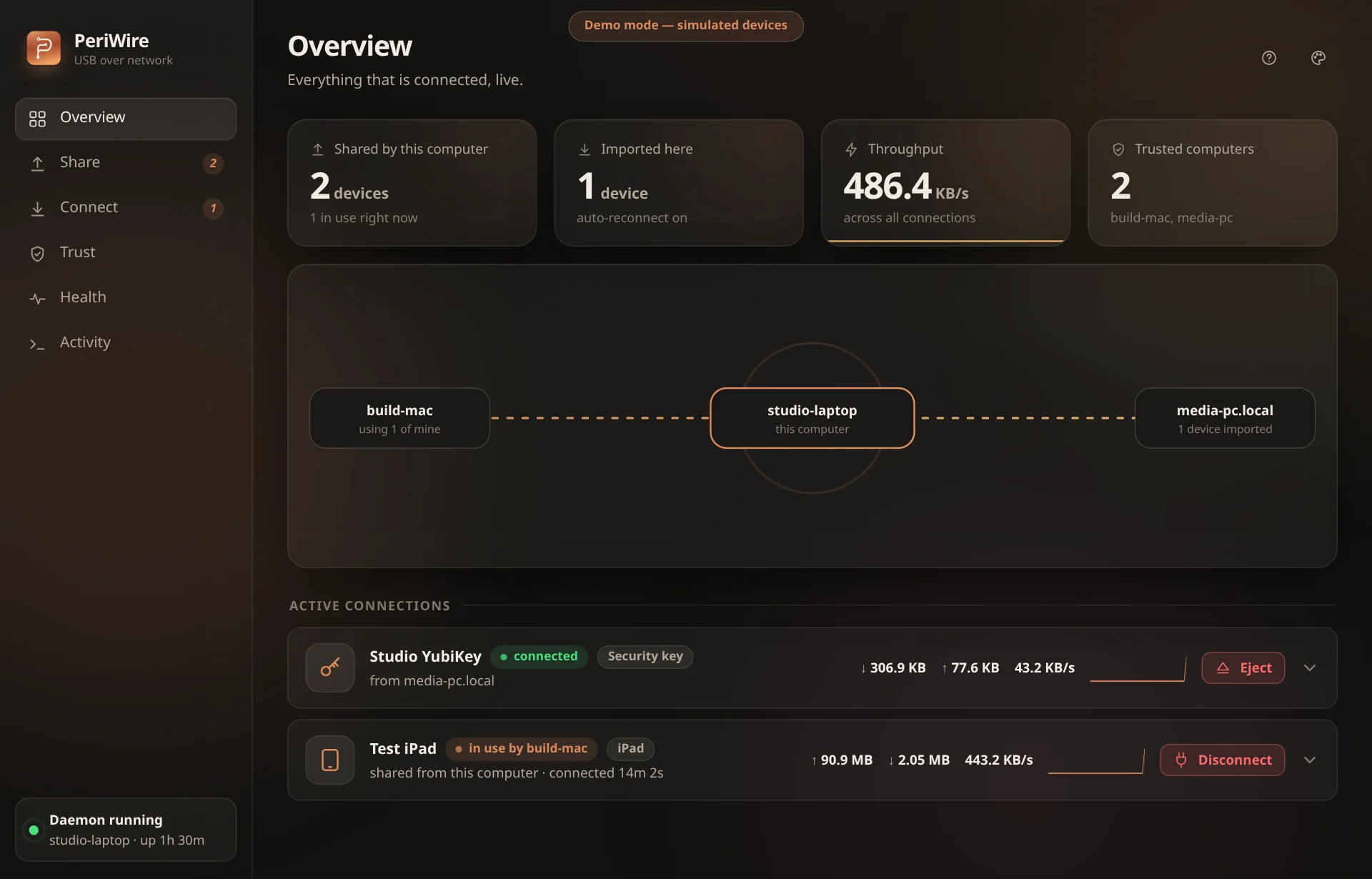
Plug a USB drive, webcam, security key or iPad into one computer and use it on another over your network. Computers pair by certificate fingerprint, with no passwords, accounts or cloud. A command line, a desktop app and an MCP server do the same things.
The point of it
What it does
People with a USB device plugged into the wrong computer: a flash drive, iPad, webcam, security key or dongle that another machine on the network needs.
The device shows up on the second computer as if it were plugged in there, with its own drivers. Nothing is shared until you share it, and ejecting unmounts first. Each computer runs one program with libusb built in.
- 01
Start the daemon on both computers and run `periwire devices` on the one that has the device.
- 02
Share it with `periwire share <busid>`, then pair the two computers by comparing their certificate fingerprints.
- 03
Attach it from the other computer with `periwire attach <host> <busid>`, and detach it when you are done.
- 04
Run `periwire doctor` when something does not work. It checks the setup and says how to fix it.
Current stable release · Nov 16, 2026
Download for your system
Pick your operating system, then the package that matches your machine. Every button goes straight to the release file.
Windows
Current buildmacOS
2 build optionsLinux
2 build optionsNo matching files are attached to this release. Open the GitHub release for its source and other files.
Other ways in
Early release (0.1). It is verified on Linux, macOS and Windows Server 2025. On macOS, attaching a device needs the host-controller entitlement or SIP relaxed. The platform status page lists what is tested.
Read the getting started guide (opens in a new tab)Facts
The details
- Ways to use it
- Desktop app, Command line, MCP server
- Language
- Rust
- License
- MIT
- Repository
- periwire
- Latest check
- CI needs attention (opens in a new tab)
The latest public GitHub Actions run failed or did not finish. That is not the same as an abandoned project.