
Desktop app · Keeps the surrounding tracks
HEVC Rebuild Studio
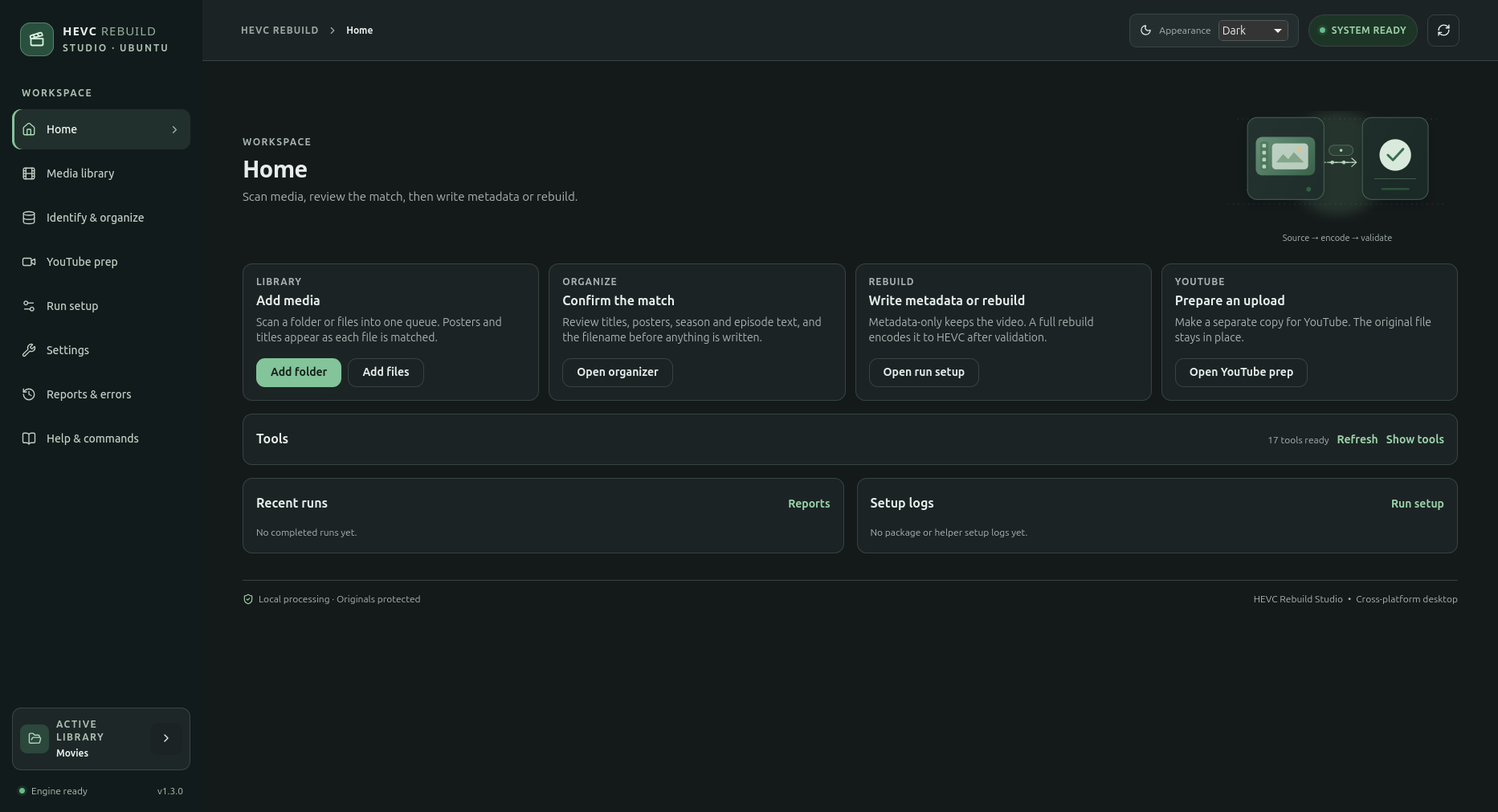
Shrink video to H.265 and keep the audio, subtitles, chapters, poster art and metadata. It can look up proper titles and posters, and your original stays untouched until the new file passes a check.
The point of it
What it does
People with a local video library who want smaller H.265 files without losing the audio, subtitles, chapters or poster art.
You review the plan before anything is written. The video is re-encoded, everything else is copied over, and your original stays until the new file passes validation.
- Re-encode selected video tracks to H.265 with x265.
- Copy audio, subtitles, attachments, chapters and metadata as they are.
- Make a metadata-only MKV when you do not want to re-encode.
- Review titles, posters, TV episodes and output folders before anything is written.
Current stable release · Nov 5, 2026
Download for your system
Pick your operating system, then the package that matches your machine. Every button goes straight to the release file.
Windows
Current buildmacOS
2 build optionsLinux
2 build optionsNo matching files are attached to this release. Open the GitHub release for its source and other files.
Checksum or signature files sit beside the matching download.
The details
- Ways to use it
- Desktop app, Command line, MCP server
- Language
- Rust
- License
- PolyForm Noncommercial license
- Repository
- hevc-rebuild
- Latest check
- CI passing (opens in a new tab)
The latest public GitHub Actions run failed or did not finish. That is not the same as an abandoned project.