
Desktop app · Python runtime manager
Enchi
Install and switch Python versions from one tool on Windows, macOS or Linux. Command line, desktop app, and an MCP server so your coding agent can do it too. Enchi is the new name of Pyenv Native.
Packaged builds today: Windows, macOS, Linux.
The point of it
What it does
Developers and coding agents who juggle Python versions on Windows, macOS or Linux. Termux is experimental.
One tool installs Python versions, switches between them and manages virtual environments, so projects do not each need their own shell setup. It comes with a command line, a desktop app and an MCP server, and it keeps the pyenv commands you already know.
- 01
Install Enchi for your operating system, then run `enchi doctor`.
- 02
Install a Python version, select it globally or per project, and create a named virtual environment.
- 03
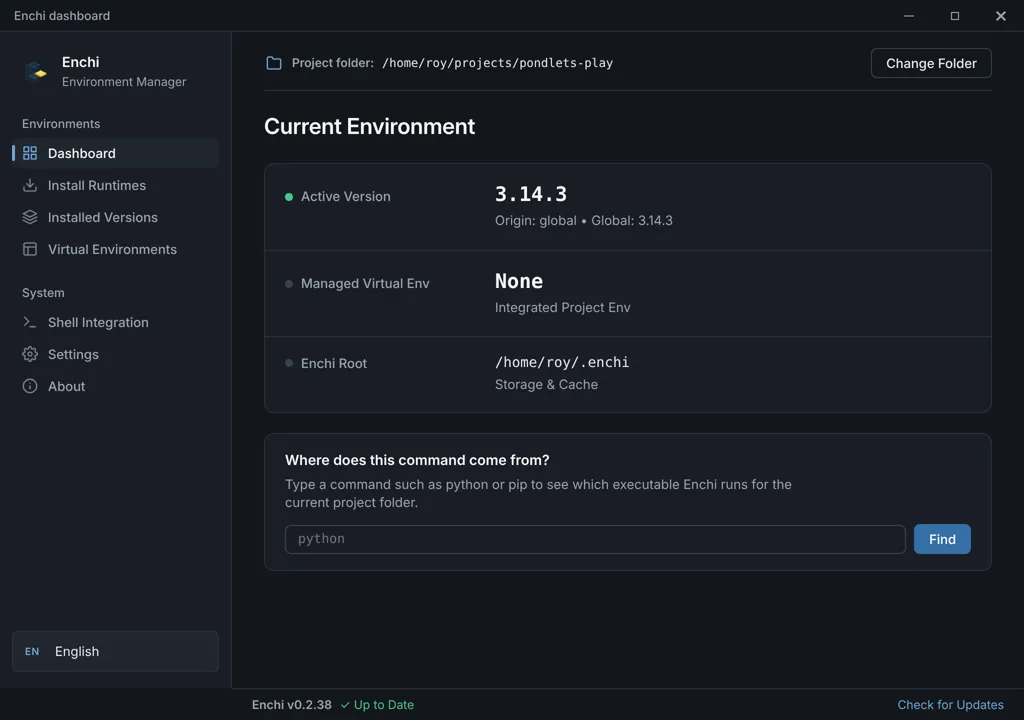
Use the desktop app when you want to see installed versions and environments at a glance.
- 04
Use `enchi-mcp` to let a coding agent manage environments once it understands the project.
Current stable release · Nov 17, 2026
Download for your system
Pick your operating system, then the package that matches your machine. Every button goes straight to the release file.
Windows
2 build optionsmacOS
2 build optionsLinux
3 build optionsNo matching files are attached to this release. Open the GitHub release for its source and other files.
Checksum or signature files sit beside the matching download.
Other ways in
Use the installer for your operating system from the current release, open a new terminal, then run `enchi doctor`. Existing Pyenv Native installs update in place with `pyenv self-update` and keep `pyenv` as an alias. The README covers shells and Termux.
Read the install instructions (opens in a new tab)Facts
The details
- Ways to use it
- Desktop app, Command line, MCP server
- Language
- Rust
- License
- MIT
- Repository
- pyenv-native
- Latest check
- CI passing (opens in a new tab)
The latest public GitHub Actions run failed or did not finish. That is not the same as an abandoned project.